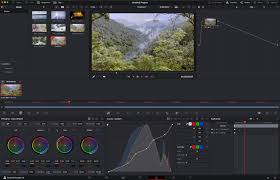
Why A Browser Based Image Editor Beats Heavy Desktop Software
The Old Way Cost Too Much
For years editing a photo meant installing a large program on your machine. That program ate disk space and slowed down every startup. Updates arrived every few months and each one took time to finish. Many people paid a monthly fee just to crop a picture.
Nothing To Install
This editor runs inside a single html file. You open it in any modern browser and it works right away. There is no setup wizard and no account to create. There is no licence key to keep safe. You simply load the file and start editing.
Your Files Stay Private
Every change happens on your own device. The canvas element inside your browser does all of the work. No image is ever sent to a remote server. That matters a great deal when you handle client photographs or personal documents. Privacy is built in rather than merely promised.
It Works Offline
Because the whole editor is one local file it does not need an internet connection. You can edit on a plane or in a studio with poor wifi. The zip writer and the background remover are pure javascript. Nothing at all is fetched from the internet at any point.
Batch Jobs Feel Light
Desktop programs often struggle when you drop fifty images at once. This editor keeps a neat queue along the left side of the screen. Each item shows its dimensions and its file size. You adjust the settings once and they apply to every image in that queue.
Real Numbers While You Work
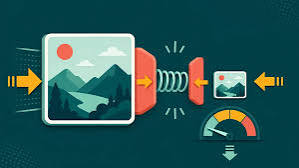
The output panel shows the original size and the result size side by side. It also shows the exact pixel dimensions and the percentage you saved. You never have to guess whether a setting actually helped. The numbers refresh moments after each small change.
Compare Before You Commit
A split slider lets you wipe between the original and the edited version. You drag the handle and see the difference instantly. There are also buttons for a full before view and a full after view. This removes the fear of over editing a picture.
Comfortable For Long Sessions
The interface comes in a dark theme and a light theme. Your choice is remembered the next time you open the file. Dark mode is easier on the eyes late at night. Light mode is far better in a bright room.
Keyboard And Mouse Friendly
You can drag files onto the window straight from your desktop. You can also paste an image with the ctrl v shortcut. Hold the control key and scroll to zoom into fine detail. Small touches like these save minutes every single day.
Who Should Use It
Bloggers sellers teachers and developers will all find it useful. Anyone who regularly prepares images for the web will benefit the most. It replaces a whole folder of single purpose utilities. Best of all it costs nothing and it never expires.
Presets Remove The Thinking
Six ready made presets sit at the top of the control panel. One click turns a folder into web ready files. Another prepares thumbnails and another prepares a square social post. You can start from a preset and then refine it.
Honest About Its Limits
This is not a replacement for a full layered design suite. It will not paint brush strokes or manage complex masks. What it does do is the boring repetitive work extremely well. Most image jobs are exactly that kind of work.

Welcome to Image-editor — image-editor.gitapp.si. Here I share guides, articles and updates. Thanks for visiting!
Related Posts
Leave a Comment
No comments yet — be the first to comment!