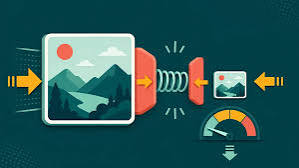
Hit An Exact File Size Target Every Single Time
Why Size Limits Exist
Many platforms reject uploads above a fixed limit. Job portals often ask for a photograph under a certain number of kilobytes. Government forms can be even stricter. Guessing the correct quality by hand is frustrating and slow.
Stop Guessing Quality
The quality slider works fine when you only need a rough result. It fails when you must land under a hard cap. Moving the slider one step at a time wastes minutes you never get back. There is a better way built into this editor.
Turn On The Size Limit
Find the limit file size switch in the format section. Tick it and a new field appears underneath. Type the number of kilobytes you need. The editor will now aim for that number automatically.
How The Search Works
The tool encodes the image several times at different quality levels. It compares each result against your target. Then it narrows the range and tries again. After a few rounds it keeps the highest quality that still fits.
Works With JPG And WebP
This feature applies to the two formats that support adjustable quality. PNG is lossless so a quality value means nothing there. When you pick PNG the extra field is disabled to avoid confusion. The interface explains this clearly on screen.
Set It Once For The Queue
Your target applies to every image in the queue. That is perfect for application forms that ask for many documents at once. Each file is compressed until it fits under the cap. You never babysit a single one of them.
Watch The Result Field
The output panel shows the final size after the search finishes. Compare it with the original size shown right beside it. The saved percentage tells the whole story at a glance. If the result is still too large reduce the dimensions a little.
Combine With Resizing
A huge photograph cannot always reach a tiny target through quality alone. Lower the longest side first and the quality search has a much easier job. The two controls work together very well. This is the fastest path to a strict limit.
Keep Enough Detail
Pushing a target too low will always cost visible detail. Text may start to shimmer and gradients may show bands. Aim for the highest number the platform actually allows. The editor will use every single byte you give it.
No Round Trips To A Website
Most online compressors upload your file and send back a smaller one. That takes time and exposes your data to strangers. Here the entire search happens on your own machine. Sensitive scans and signed documents never leave your browser.
Typical Numbers
A portrait of 1400 pixels usually fits under 200 kilobytes with ease. A busy landscape may need 1200 pixels or a slightly lower target. Product shots on a plain background compress extremely well. You will learn the pattern after only a few tries.
Repeatable Results
Because the same settings produce the same outcome the process is repeatable. Save the html file next to your working folder. Next month you will get consistent output again. Consistency is what makes a tool feel genuinely professional.

Welcome to Image-editor — image-editor.gitapp.si. Here I share guides, articles and updates. Thanks for visiting!
Related Posts
Leave a Comment
No comments yet — be the first to comment!